Getting Started with Redstone ① Basics of Signals with a Lever
This story was machine-translated from Korean.
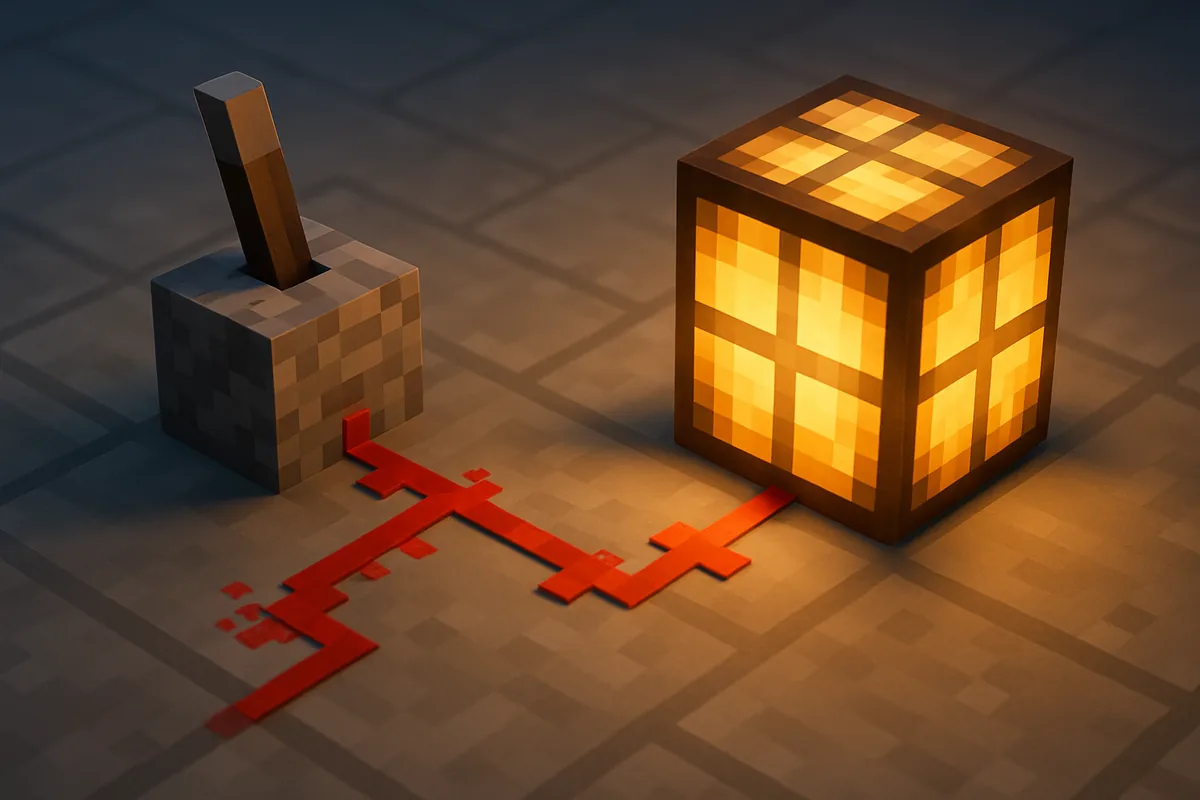
Automatic farms, secret doors, item sorters. Almost all devices that make you look like a 'pro' in Minecraft are made with redstone. But when you try to learn by watching videos, you get overwhelmed by circuits that stretch for dozens of blocks.
MCNOW's original series "Getting Started with Redstone" takes the opposite approach. Starting with one lever and one lamp, by the end of episode 3, you'll be able to create a piston door that opens and closes with a lever. The goal of episode 1 is simple: understand where signals come from, how they flow, and where they end.
This series explains based on Java Edition. The main principles are the same for Bedrock Edition, but there are some differences in details, which will be noted separately.
Three Parts of a Redstone Circuit
No matter how complex a circuit is, it ultimately breaks down into three parts.
- Power Source — creates the signal. This includes levers, buttons, pressure plates, redstone torches, redstone blocks, etc.
- Transmission — carries the signal. The most common is redstone dust.
- Device — receives the signal and does something. This includes lamps, doors, pistons, dispensers, note blocks, etc.
To create your first circuit, connect these three in a line. Place a lever, lay down a few blocks of redstone dust next to it, and put a redstone lamp at the end. When you pull the lever, the dust glows red and the lamp lights up. That's all there is to it. Congratulations, you've made your first circuit.
Different Characteristics of Power Sources
| Power Source | Duration | Usage |
|---|---|---|
| Lever | On until pulled again | Switch, on/off device |
| Button | Momentary (stone buttons are shorter than wooden ones) | Open a door, one-time activation |
| Pressure Plate | While standing on it | Automatic doors, traps |
| Redstone Torch | Always (but turns off if a signal comes from a block it’s attached to) | Constant power, signal inversion |
| Redstone Block | Always | Movable power source |
The difference between buttons and levers is important when building devices. If you want a door to open and close automatically, use a button; if you want it to stay open, use a lever.
Signal Strength — The 15 Block Rule
Redstone signals have a strength ranging from 0 to 15. Power sources like levers and torches emit the maximum strength of 15. Redstone dust decreases the strength by 1 for each block it travels.
So, dust only transmits signals up to 15 blocks away. Beyond the 16th block, the signal drops to 0, so a lamp placed further away won't light up. If a long circuit only works at the end, this is usually the reason. The component that replenishes the signal back to 15 is the redstone repeater, which will be the focus of episode 2.
The red glow on the dust also indicates its strength. The closer you are to the power source, the brighter it is, and it gets dimmer as you move away. If something seems off with the circuit, checking the brightness of the dust can help you see how far the signal has traveled.
Signals Passing Through Blocks
One of the most confusing aspects when starting with redstone is how blocks transmit signals. Let's cover the basics.
- When you attach a lever or button to a block, the entire block receives the signal. Any lamps, pistons, or doors touching that block will activate.
- If redstone dust is laid towards a block, that block will also receive the signal. In this case, the adjacent devices will activate as well.
- However, the signal from the dust does not carry over to other dust next to it. If you try to connect dust across a block, the signal will break.
- Transparent or partial blocks like glass and slabs usually do not receive signals.
The last two lines explain half of why the circuit 'doesn't work'. If the signal is interrupted by a block, you can place a torch on top of the block or use a repeater in the next section.
First application — Inverting signals with a redstone torch
Redstone torches have an interesting property. When a signal is received by a block with a torch, the torch turns off. It turns off when it receives a signal and turns on when the signal is off. In circuits, this is called a 'NOT gate', or signal inversion.
Let's try it out.
- Place a stone block and attach a redstone torch to its side.
- Run redstone dust from the torch to a lamp. The lamp is on even though you haven't pulled the lever yet.
- Attach a lever to the opposite side of the stone block and pull it. The signal goes into the block, turning off the torch and the lamp.
"It’s usually on, but turns off when something happens." This simple inversion will later form the basis for automatic doors, alarms, and clock circuits.
Summary of Chapter 1
- Circuit = power source → transmission → device
- Signal strength ranges from 0 to 15. Dust weakens by 1 per block
- Blocks with levers or buttons receive signals. Signals from dust do not connect to adjacent dust.
- Torches turn off when a signal is received by the block they are attached to — signal inversion.
In Chapter 2, we will cover two components that can turn signals back on, delay them, and compare them: repeaters and comparators. If you've built a circuit, feel free to share a screenshot on MINECAP. If you have any questions, you can ask in the Questions forum.
Want to talk about this story?
Share your take with other Minecraft players on MINECAP.