Getting Started with Redstone ② Repeater and Comparator — Extending, Delaying, and Locking Signals
This story was machine-translated from Korean.
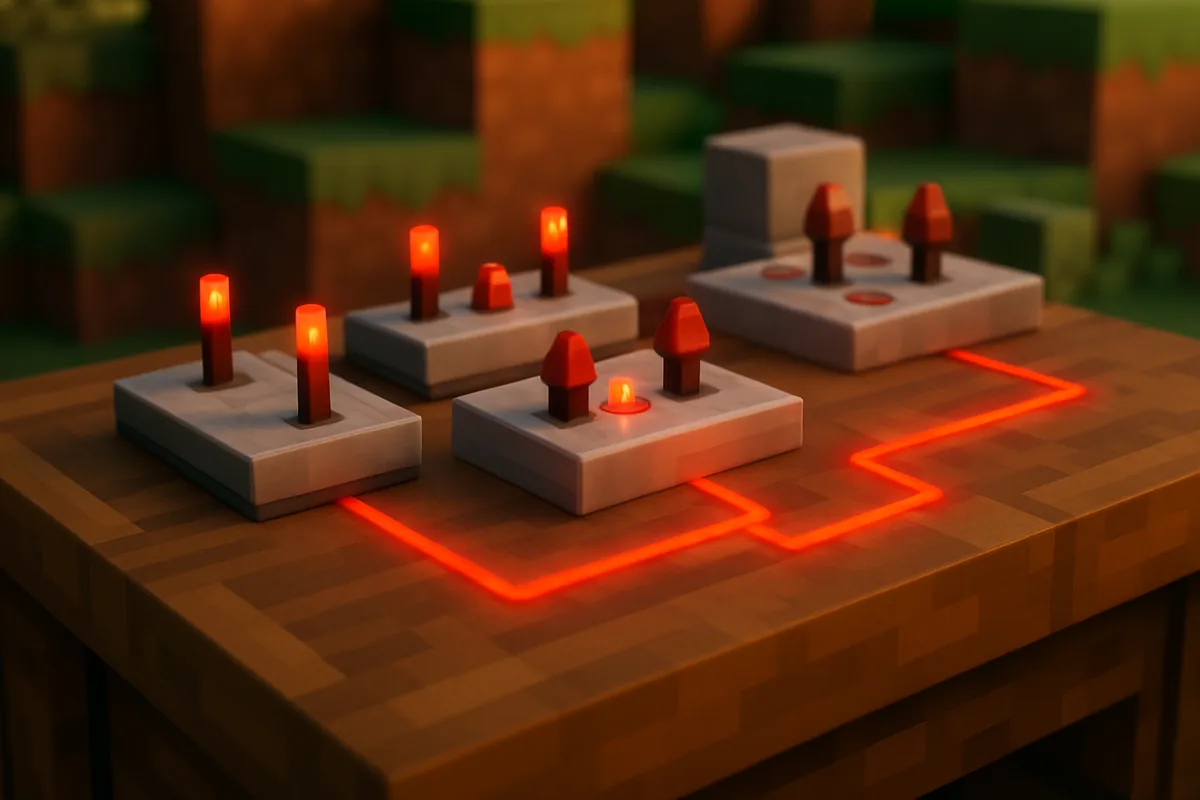
In episode 1, we saw that redstone dust loses its signal after 15 blocks. So how do we open a door that’s 30 blocks away? And how can we make it light up only when the chest is full? The answer lies in the two components of this episode: redstone repeater and redstone comparator.
Both are flat like half blocks and have a small torch on top, which can be confusing at first. The way to tell them apart is simple: if there are two torches side by side, it’s a repeater; if there are three in a triangular shape, it’s a comparator.
Four functions of the repeater
① Resetting the signal to 15
The repeater outputs a signal strength of 15 regardless of the incoming signal strength. Even if there’s only 1 left, it will reset to 15 after passing through the repeater. You can extend long circuits by placing a repeater every 15 blocks.
② One-way transmission
The repeater receives signals from behind and only sends them forward. Signals cannot pass in the opposite direction. This makes it useful as a 'one-way sign' to prevent two circuits from mixing. The direction you place it in determines where the signal goes, so pay attention to the arrow shape when placing it.
③ Delaying signals
Right-clicking the repeater will move the front torch and change the delay time to 1-4 ticks. One tick is 0.1 seconds. By chaining multiple repeaters, you can create time delay devices like "the door opens 1 second after pressing the button."
④ Locking signals
When an active repeater (or comparator) faces the side of another repeater, the repeater that gets hit will lock in its current state. Even if the signal changes from behind, the output signal remains unchanged. A gray bar appears above the locked repeater, making it visible. This is the basis for devices that 'remember' states.
Practice — Place redstone dust for 20 blocks from a lever and put a lamp at the end. The lamp won’t light up. Now, let’s replace one block of dust in the middle with a repeater. The lamp lights up. Right-click the repeater to set the delay to 4, and when you pull the lever, you’ll see the lamp turn on with a delay.
Comparator — The component that 'measures' signals
While the repeater boosts signals, the comparator compares and measures signals. It may seem complicated at first, but once you understand its uses, redstone becomes much smarter.
Two modes
The comparator compares the signal coming from behind with the signal coming from the side. Right-click the front small torch to switch modes.
| Modes | Front torch | Output signal |
|---|---|---|
| Comparison mode | Off | If the back signal is greater than or equal to the side signal, it outputs the back signal as is, otherwise it outputs 0. |
| Subtraction mode | On | Back signal − side signal (if it’s less than 0, it outputs 0). |
If there’s nothing next to it, both modes will output the back signal as is. Unlike the repeater, remember that it does not boost signals to 15.
Real power — Reading the 'state' of blocks
The greatest use of the comparator is not comparing signals. When a specific block is placed behind the comparator, it reads the state of that block and converts it to a signal strength of 0-15.
- Chests, barrels, hoppers, and furnaces — how full they are. If empty, it’s 0; if full, it’s 15.
- Cake — number of remaining slices.
- Composters and cauldrons — height of fill.
- Item frames — how many times the item inside has been rotated.
- Jukeboxes — which record is inside.
Why is this important? It allows you to create devices that can make decisions based on situations, like "notify me when the chest is full" or "take out items when the furnace is done cooking." This function is key to automatic farms' 'storage is full' lamps and item sorters.
Practice — Chest notification light: Place a chest and attach a comparator facing outward from the chest. Lay redstone dust in front of the comparator and put a lamp at the end. When the chest is empty, the lamp is off, but when you put in just one item, a signal is generated and the lamp lights up. You can also see the redstone dust's light extending as you add more items.
Summary of Episode 2
| Repeater | Comparator | |
|---|---|---|
| Appearance | Two torches | Three torches (triangle shape) |
| Signal strength | Always set to 15 | Not increased |
| Main uses | Increase, delay, direct, toggle | Compare, subtract, read block state |
Now that you know how to create (Episode 1) and increase and measure (Episode 2) signals, in the final Episode 3, we'll use this signal to move blocks. We'll create the first piston door that opens and closes with pistons, sticky pistons, and a lever.
Want to talk about this story?
Share your take with other Minecraft players on MINECAP.